Check in with your face. That’s it.
Mako verifies identity instantly. No badges to lose. No PINs to share. No buddy punching. Just clear records.

Admin Controls
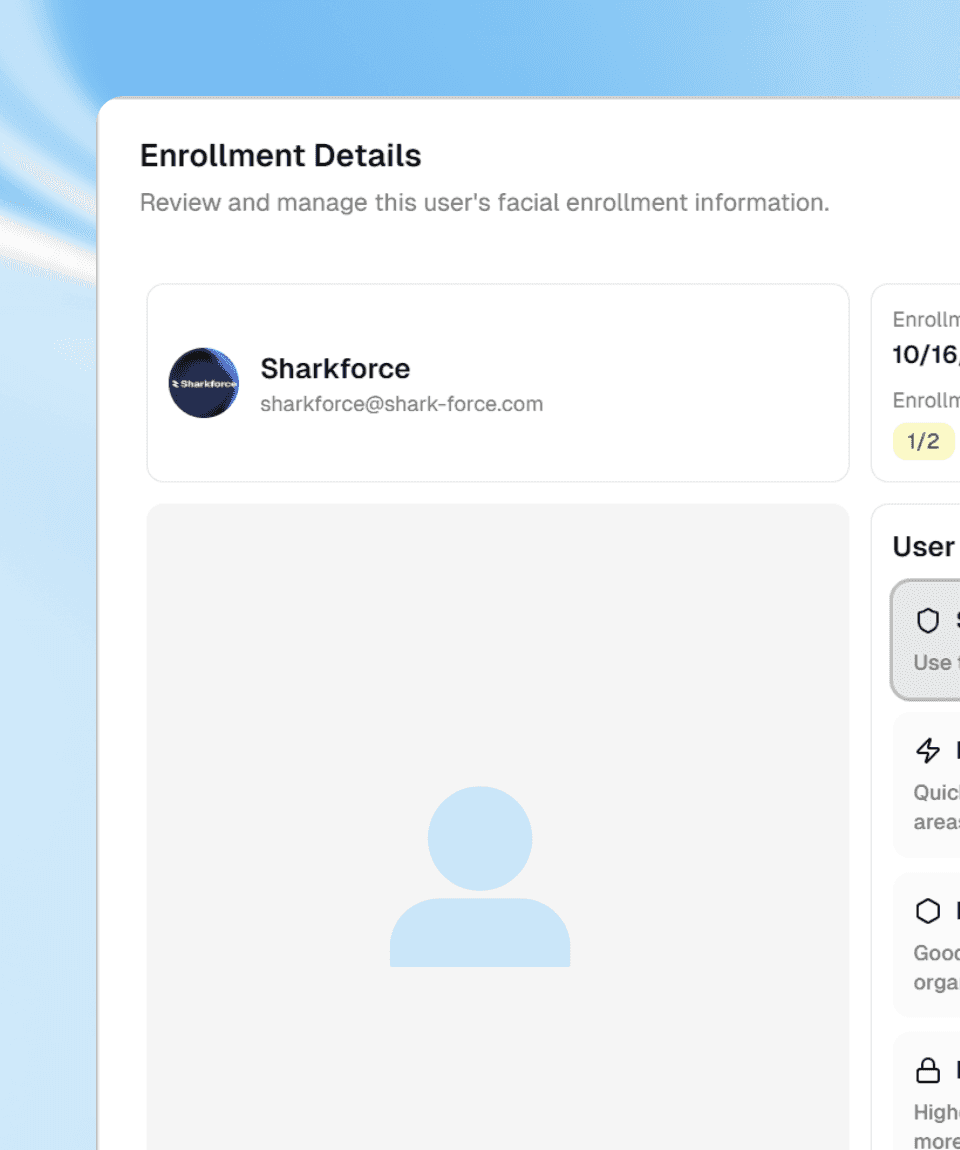
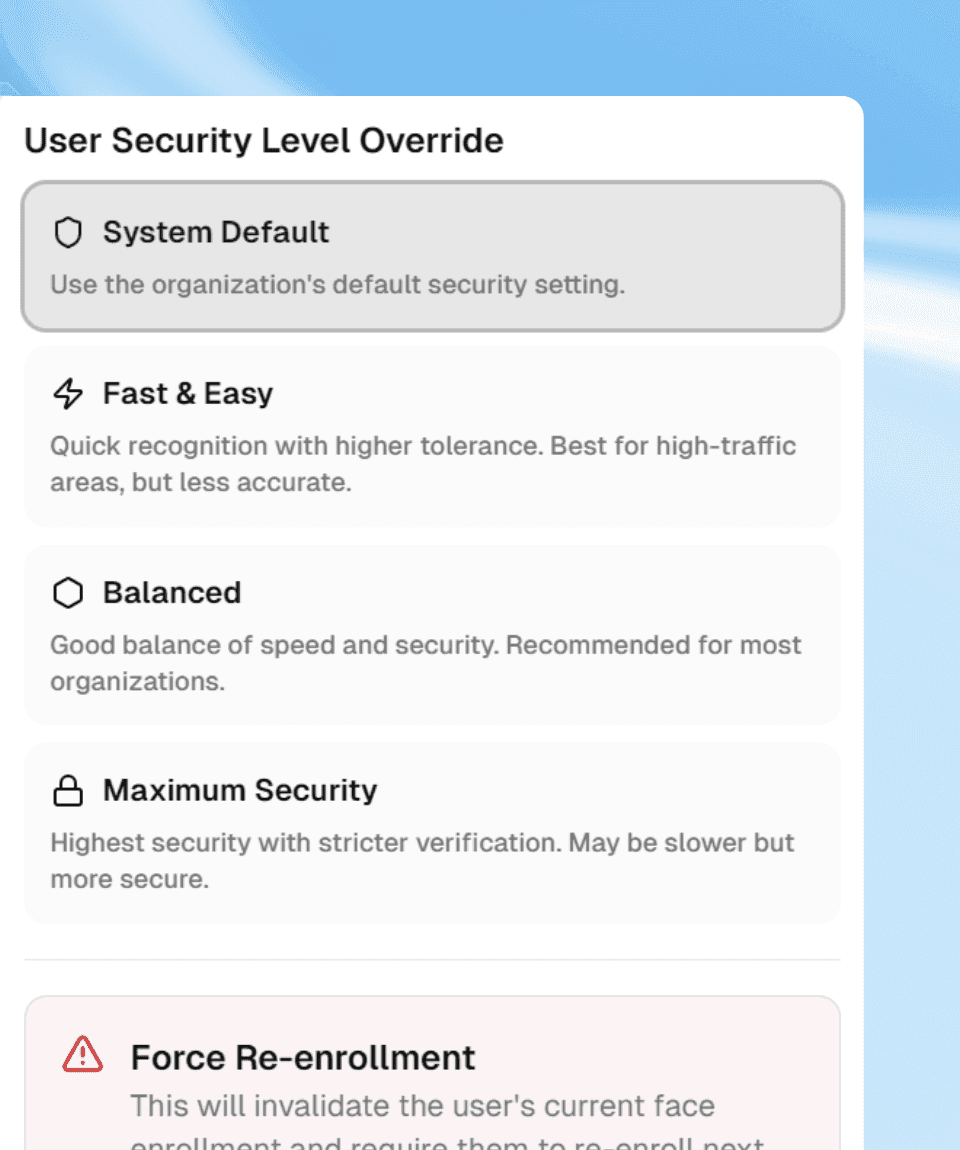
Your Rules. Your Security Level.
Set security levels per user or site. Choose between speed and strictness. One control panel.
Built for fairness. Built for clarity.
Facial check-in confirms who is on site, protects honest employees, and creates records that stand up.
Attendance you can trust.
Biometric check-in means no buddy punching, no shared badges, no guesswork. Your team checks in with their face. You get accurate records.
How It Works
Built for Real Check-Ins
Anti-Spoof
Blocks fake faces: photos, videos, masks, deepfakes. Only real people check in.
Gesture Proof
Blink. Nod. Turn your head. Live gestures confirm you’re really there.
Fast Verification
Server-side checks in milliseconds. Three security levels to fit your needs.
Real-Time Alerts
Unauthorized attempt? You know instantly. Every try is logged.
Attendance you can trust.
Biometric check-in means no buddy punching, no shared badges, no guesswork. Your team checks in with their face. You get accurate records.
Everything for Secure Check-In
Anti-Spoof
Blocks all fake methods. Only live faces work.
Live Gesture Check
Blink or nod to confirm identity. Security that works.
Any Light, Works
Indoors, outdoors, bright sun, dim office. Recognizes faces everywhere.
Access Control
Blocks unauthorized attempts automatically. Zero compromise.
Instant Match
Encrypted checks. Protected access. Standards-compliant.
Questions
How accurate is Sharkforce facial recognition?
Designed for workforce verification with results depending on lighting, image quality, device conditions, and your security setting. Three levels: Fast & Easy, Balanced, and Maximum Security.
Can someone fake a check-in with a photo?
No. Anti-spoof blocks photos, videos, masks, and deepfakes. Gesture verification requires live movements like blinking to confirm a real person.
What are my security level options?
Three levels: Fast & Easy for high-traffic areas, Balanced for general use, and Maximum Security for strict verification. Set per user or organization-wide.
How is facial data protected?
Encryption protects facial data and records at rest and in transit. Access controls limit who can see what. Enrollment and deletion are under your control per legal requirements.
Now you know.
Try Sharkforce free or talk to sales in 30 minutes.